
All your savings.
One overview.
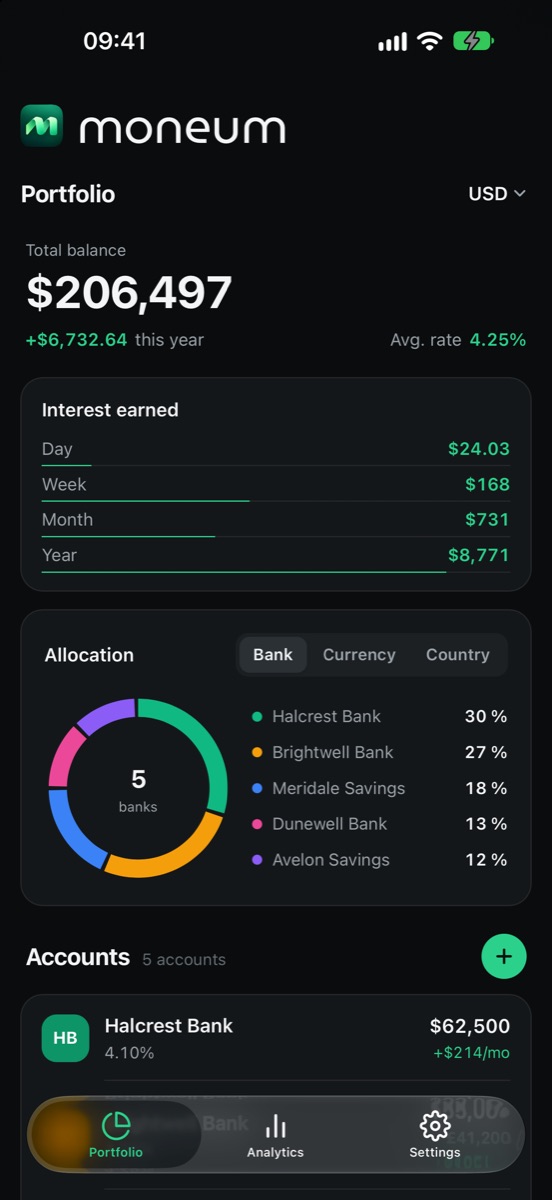
Moneum shows you live how much money sits in your savings accounts and what it earns – across all banks and currencies. Your data stays on your device.
What does your money earn?
Move the sliders and see instantly what your savings earn per day, month and year – and how they grow over ten years.
Example with monthly interest crediting and a constant rate, before taxes. Not investment advice.
Everything your savings need.
From the live overview to deposit protection – Moneum does the math, you decide.
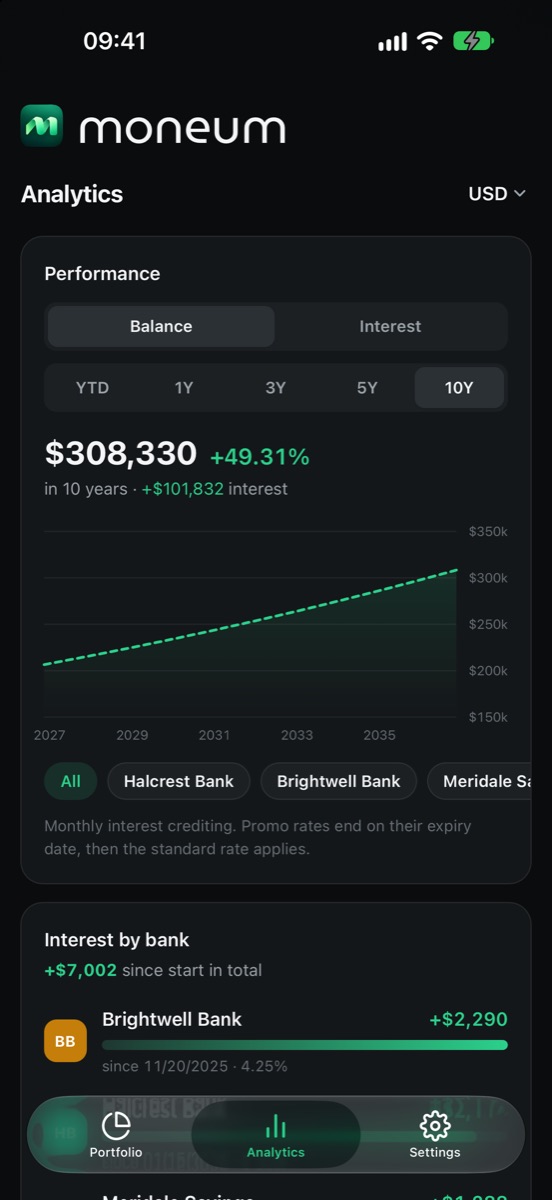
Analytics & projections
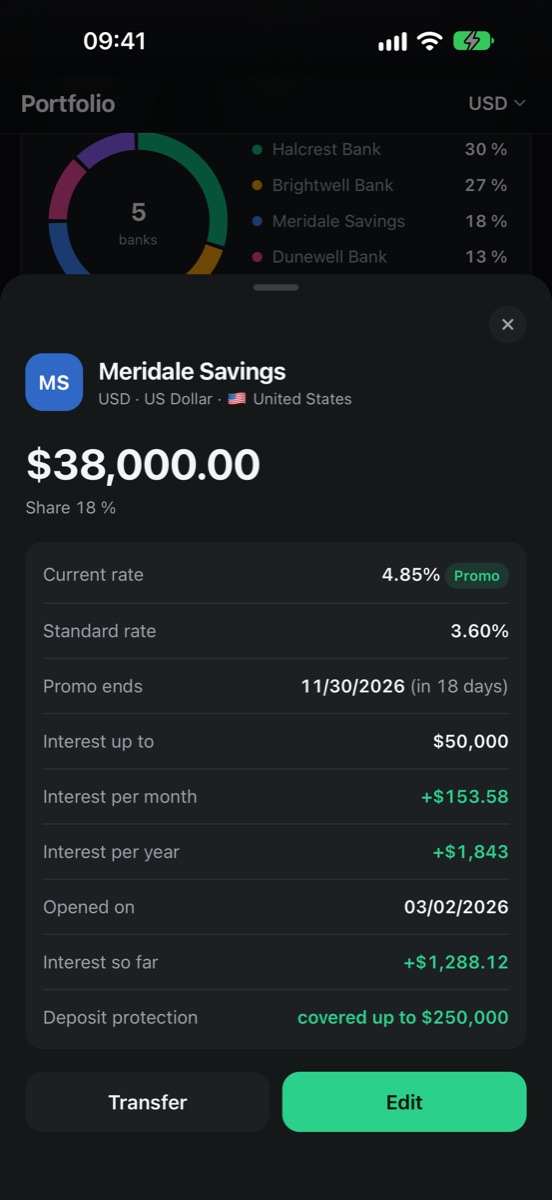
Balance and interest since January 1, projections for up to 10 years and interest per bank – promo rates and rate caps included.
Live interest
Today, this week, this month, this year – the interest counter ticks every second.
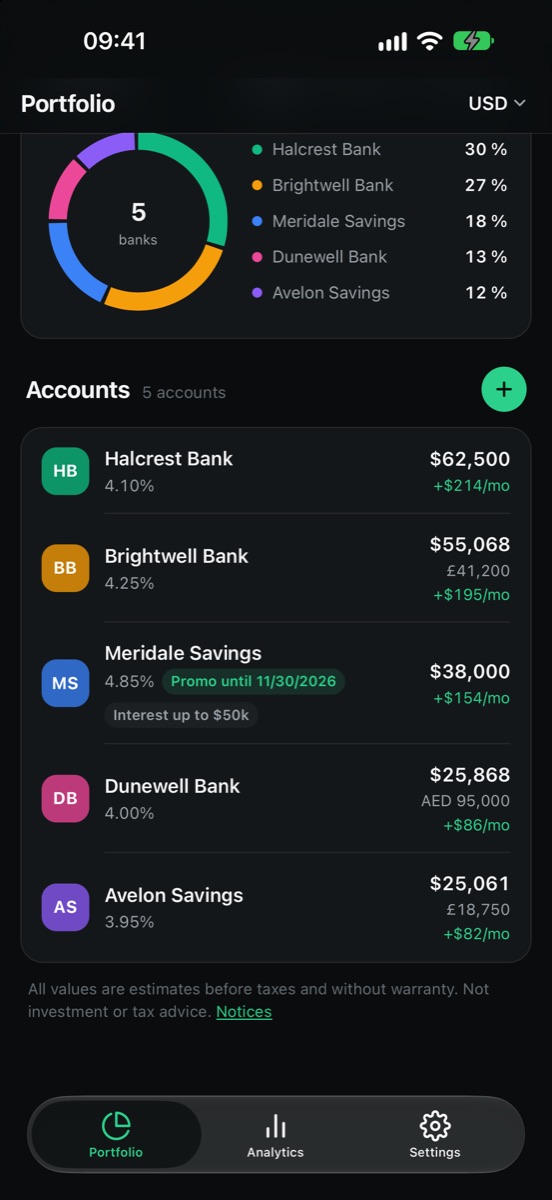
All banks & currencies
As many accounts at as many banks as you like, converted into your currency.
Helpful insights
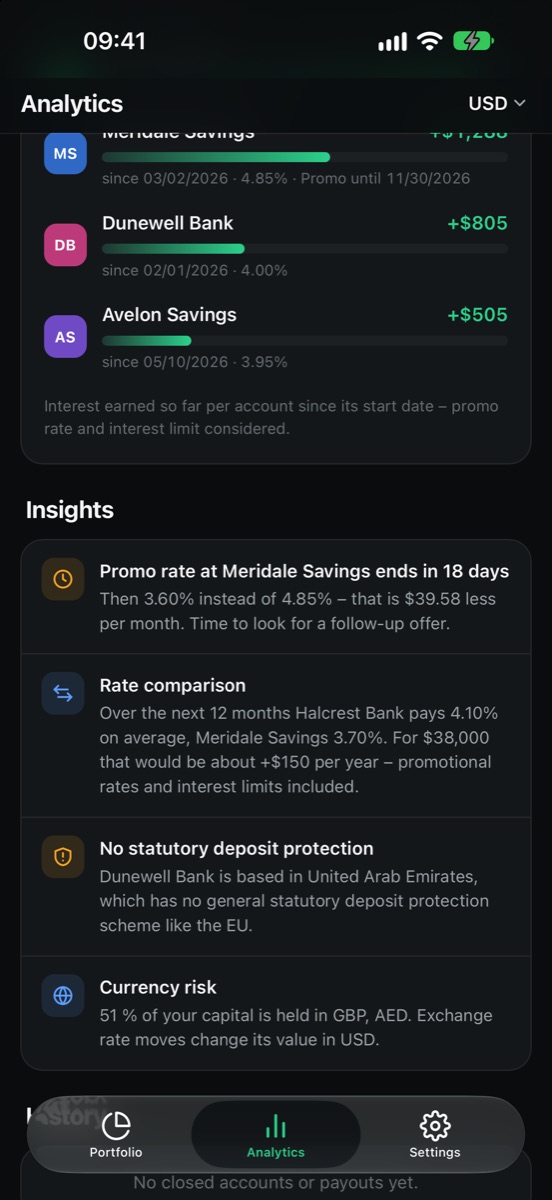
Moneum reminds you of expiring promo rates, spots exceeded deposit protection, concentration and currency risk, and shows where moving money pays off.
Deposit protection
For every account you see whether your balance is protected by law.
Reminders
14 days and 1 day before a promo rate expires – in the iOS app.
Secure backups
Export as a .moneum file, optionally encrypted with AES-256.
Your finances belong to you.
No account, no servers, no ads. Moneum is built so that we cannot see your data at all.
No user account
No sign-up, no email, no bank login. Just open it and start.
Only on your device
Accounts, balances and settings are stored locally only – never with us.
No tracking
No analytics, advertising or tracking services. No profiles, no sharing.
Start now – for free.
Right in your browser, no sign-up. Coming soon as an app for your iPhone.
Frequently asked questions
Is Moneum free?
Yes. Moneum is free, with no ads and no in-app purchases.
Where is my data stored?
Only on your device – in the iOS app's protected storage, in the web app in your browser's local storage. Moneum has no servers and no user account; we have no access to your data.
Do I have to enter my bank login?
No. You enter balance and interest rate yourself. Moneum never connects to your bank and needs no credentials.
How do I back up my data or move it to a new device?
Use “Settings → Export data” to create a backup file (.moneum) – optionally password-encrypted. On the new device, use “Import data” or simply tap the file. Backups work between the iOS app and the web app.
How do I delete all data?
In the app under “Settings → Delete all data” – or by deleting the app or the website data in your browser.
Are the interest figures binding?
No. All figures are non-binding calculations based on your input and may differ from your bank's figures. Moneum does not provide investment, tax or legal advice.
More questions, feedback or found a bug? Write to us: vadim.hafner@outlook.com